1
Accessing Your Tranztacho Account
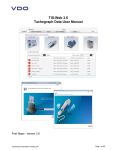
Enter the following into a browser address bar to open “TranzTacho Web Application” login page:
http://www.tranztacho.ie/ttms/
Enter your username and password as provided by Tranzaura.
Populating the System: (Adding drivers and vehicles)
Before driver and vehicle files can be uploaded to TranzTacho, driver and vehicle records must be
created on the system.
Digital Driver and Vehicle records:
All digital drivers and associated vehicle records will be created automatically as driver cards are
uploaded to the system (no manual creation is required).
Analogue Drivers and Vehicles:
Both drivers and vehicles will need to be created in the “TranzTacho Web Application” prior to any
analogue tachograph charts being uploaded to the system.
Uploading data:
The most efficient method of uploading driver cards to the system from both storage devices and
smartcard readers is through the use of the “TranzTacho Local Application”.
This can be downloaded as follows:
Login to the “TranzTacho Web Application”, preferably using “Internet Explorer” as your browser.
(Firefox should also work).
Go to TranzTacho local > Install located at the bottom of the Administrative Menu bar. This will
install the TranzTacho Local application icon on your desktop.