1
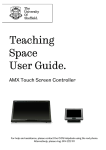
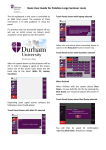
Quick Start Guide: AMX Data Controller
On Main PC Laptop Press and hold the On button to turn the AV system on.
The teaching computer, located in the lectern, will need to be switched on separately.
Press the Main PC button to display the teaching computer
Log in with your normal (MUSE) username and password.
Press the laptop button to display a laptop
See Page 3 for more information.
DVD Picture Blank Press the DVD button to display the DVD / VHS player
Use the buttons on the DVD player to control playback.
Press the Picture Blank button to blank the screen
Press the appropriate source button to restore the image, e.g. pressing the Laptop
button will return to the laptop mode.
The volume can be adjusted using the volume knob
Press the desired input before adjusting volume.
Screen Up Screen Down Use the Screen up and Screen down to control the projector screen
Not available in all spaces.
Press and hold to turn the AV system Off
Off Shut down the PC as normal. Wait until the Off button has stopped flashing before turning
the AMX system on again.
For help and assistance, please contact the CiCS Helpdesk using the red phone.
Alternatively, please ring: 0114 222 1111