1
Utilities
Rebuild Data
This option on the Utilities menu is used to rebuild your data files after, for example, you have
suffered a power cut and your data has become damaged.
You can also run this utility on a regular basis to compact your data files, so that they take up less
space on your hard drive.
View error log
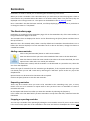
In the event that an error occurs in the program, a screen will usually appear showing details of the
error and asking if you want to log it.
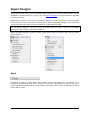
Click on the [Yes] button on this screen to record details of the error in a log file that can be emailed
to us. Reporting errors in this way helps us to correct them and improve on the software. Clicking on
[No] will not log the error.
In the next screen that appears, click on [OK] to continue with the program.
Note: depending on what stage the program is at, further error messages may occur. Keep repeating
the process until the program is able to continue normally.
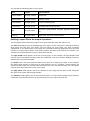
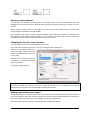
The error log can be inspected by selecting the “View error log” option from the Utilities menu.
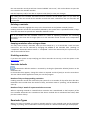
You will be viewing one log entry at a time. The date/time value at the top right of the screen shows
when the error was logged. The up/down arrows to the right of this box let you scroll through the
logged errors.
Clicking on the User Notes on Errors tab lets you enter your own comments about a particular error.
Click on the email button to send a copy of the log file to us as an email attachment. This
information can then be put to good use in correcting the error.
Home Inventory User Guide
21
© EZPZ Software Limited 2014