1
ClientTrade Collections
____________________________________________________________________________
1. Introduction to Collections
1.1 What is Collections?
Collections is an online, secure application that enables you to electronically generate a
Collections transaction.
1.2 The Features of Collections
•
Fill out a transaction application online and transmit it to the
bank.
•
Simplify the application process by using a previously
released transaction that is similar to the new one, or use a
template created from a previously released transaction.
•
Access transaction payment information downloaded from
the bank.
•
Generate detailed reports for company managers,
accountants, and auditors.
•
Easily communicate with the bank using communication
software built into the system.
•
While generating a transaction, Collections will validate
those fields that must be SWIFT compliant to ensure that
they adhere to SWIFT rules.
Features available in all grid screens:
Search Feature
press Ctrl-F to open a screen where you can type in whatever you
want the system to search for. The system searches from the
highlighted item down to the end of the list of items in the grid.
Highlight the first item in the grid to search the entire list.
Sort Columns
click on a column heading in the grid screen and the data in the
screen is sorted in ascending (or descending) order of the column.
Click the column heading again to display the items in reverse order.
Pop-up Menu
right click anywhere in any grid screen and display the Functions
menu
View a Line Item
double click on any item in the grid screen and it will open.
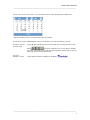
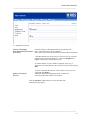
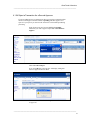
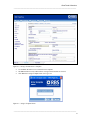
Filter Data in Grid
you can filter the data displayed in the grid screen using columns that
glass when you point to the column heading.
display a view
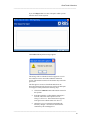
Click on the glass and the filter window opens. See below.
____________________________________________________________________________
3