1
4.1. An introduction to the COMMUNICATIONS module
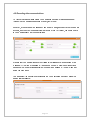
The ‘Communication’ section of Tracker gives you multiple tools and methods for
effectively communicating with and recording communications with your tenants:
EMAIL OR TEXT
Tracker allows you to easily communicate with tenants through email or text and
automatically puts a communication record in their profile. Allowing you to monitor and
track communications sent by whom, when and what.
MAILING LISTS
You can also create mailing lists in Tracker so that communications sent out by post can
also be recorded and tracked. This function includes the ability for you to upload the
actual document sent, to add to effective record keeping.
MANAGING TENANT PREFERENCES
Tracker easily lets you respect tenant’s communication preferences: if a tenant has
expressed that they do not wish to receive communications via a specific method (e.g.
text) Tracker will automatically exclude them from the list.
Tracker will also automatically exclude tenants with no email addresses from email lists
and those without valid mobile numbers from text list, so only deliverable addresses and
numbers are kept in.
RECORD OTHER COMMUNICATIONS
Other communications performed outside of Tracker can also be recorded such as
Questionnaires, Face to Face communications, phone calls etc. by filling in the ‘other
communications’ section and listing recipients.
REPORTING AND ANALYSIS
The reporting functions in this module easily allow you to see who you have
communicated with, when and via which method. It can also show the delivery success
rate for text messages and emails.
Page 2