1
Operators Manual
Section 3 - How to Vend A Drink
3.1 Selecting A Drink
Drink selections are made by pressing the appropriate selection button on the keypad
and then utilising the keypad selection buttons and the LCD display to alter the drink
strength and add milk/sugar to suit the customers personal preference.
The following example shows an instant coffee selection from an instant machine set
to ‘Free Vend’.
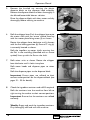
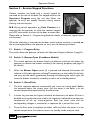
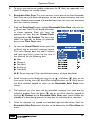
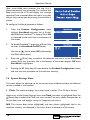
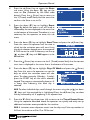
1. Press selection button 1, Instant Coffee on the
keypad.The machine exits the standby mode and
the LCD will display the screen as shown
opposite. The default strength setting for this
drink selection is Normal as shown.
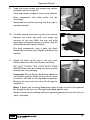
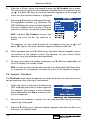
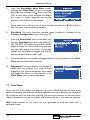
2. To obtain a Strong or Mild beverage it is necessary to press the current drink
selection button. Pressing once will toggle to the Strong selection. Pressing the
button again will toggle to the Mild selection.
Pressing the current drink selection button again will revert to the default screen.
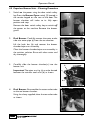
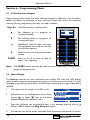
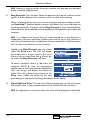
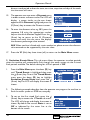
3. If milk and/or sugar is required, it is necessary to
press the corresponding button on the keypad
for each selection. When the Milk button is
pressed the LCD changes and displays the
default screen as shown opposite.
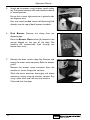
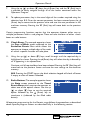
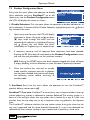
4. If Extra Milk is required the customer presses the milk button a second time. A
third press will display the No Milk selection.
13