1
Switchboard Panel
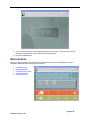
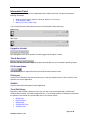
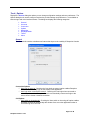
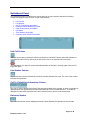
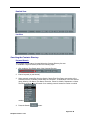
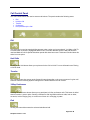
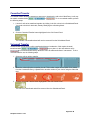
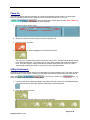
The switchboard panel is located on the second panel of the main interface and has the following
components (approximately from left to right in the diagram):
•
•
•
•
•
•
•
•
Link Column
Line Number
Call To (Called Party information)
Extension number dialed by the caller
Caller ID information (if available)
Call Status
Time (Duration of the Call)
Company Notes & Profile information
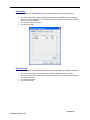
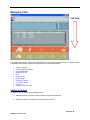
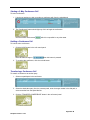
Link Call Column
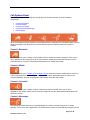
The Link column lets you select the calls to be linked for a Consulted Transfer and 3-Way Conference.
You select the calls to link by clicking in the link column cell for the required call record (row).
The appearance of a chain link symbol indicates activation of this option. Clicking again in the cell will
toggle link option.
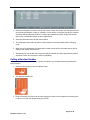
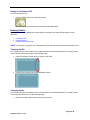
Line Number Column
The Line Number column indicates the virtual line number allocated to the call. The color of the number
indicates the Call Status.
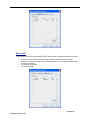
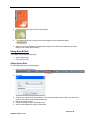
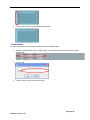
Call To (Called Party Information) Column
The Call To column identifies the name of the party being called by the operator. A name will typically be
displayed when the operator dials an internal number that is in the Contacts Directory. A number is
displayed for calls made to persons not in the Contacts Directory and for most external calls.
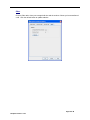
Extension Number
The Extension Number column displays the actual number dialed by the operator for internal calls.
Page 21 of 40
Reception Console v. 13.1