1
Controller set-up
Front board (door)
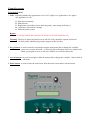
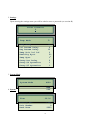
1. Leds : indicating whether the application is on or off. (Light is on- application is on; light is
off- application is off).
#1- Main desiccant pump
#2- Main blowers
#3- Regenerator (including: minor desiccant pump, water pump and blower)
#4 - (optional): electrical tap, dumper
#5- Heater/hot water pump
Bypass
Machine is working without the controller (in which case all other lights are off)
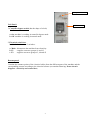
Warning: The door is locked by buckles on its left side. They should be opened and closed
carefully while administering counter-support to the fuse box.
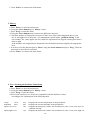
2. Prog. Button- is used to enter the sub-menus from the main menu and to change the variables.
(press once to enter edit mode - a flickering line will appear below the variable to be
edited, press again to move to the next variable or to exit the edit mode).
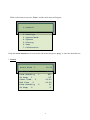
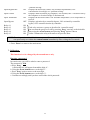
3. Arrow buttons- are used to navigate within the menus and to change the variables’ values while in
edit mode.
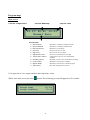
4. Enter button- is used to enter the main menu from the main screen and to exit the menus.
1
2
3
2
4