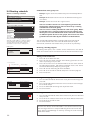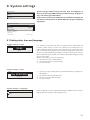
1
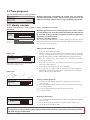
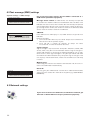
6.2 Text message (SMS) settings
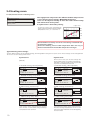
System settings > SMS settings
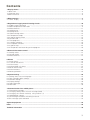
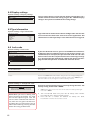
Message center number
+
3
5
8
4
4
7
9
8
3
5
0
0
Approve: Press OK for a number of seconds
Cancel: Press ESC for a number of seconds
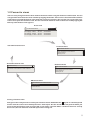
SMS PIN code
1
2
3
4
Approve: Press OK for a number of seconds
Cancel: Press ESC for a number of seconds
Use of text messaging requires that the C203 is connected to a
GSM modem (additional equipment).
Message centre number: A C203 device can identify the operator
in use from the modem’s SIM card. Identification does not occur until
PIN code has been entered. If the device does not identify the operator
even though PIN is correct, enter message center number. If you change message centre number, the number is saved on the SIM card. C203
device reads the number saved on the SIM card.
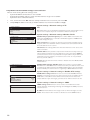
SMS PIN:
If the SIM card has PIN inquiry in use, C203 device asks you to enter
PIN code.
Entering the code:
1. Turn the control knob and press OK to accept each number.Press
ESC to return to the previous square.
2. Press OK for a number of seconds to accept the code.
Press ESC for a number of seconds to cancel.
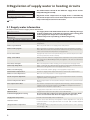
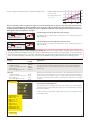
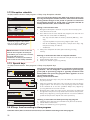
Signal strength:
Signal strength is expressed with description: ”Excellent”, ”Good”, ”Moderate”, ”Low”, ”Very low” and ”Initialization failed”. If signal strength indicates ”No network,” try changing the modem’s location or use an additional antenna. If the signal strength is ”Very low” you should also move
the modem to another location to try to improve signal strength. If the
unit displays ”Initialisation failed,” check that the SIM card is correctly
installed.
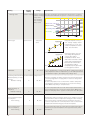
Modem status:
C203 recognizes whether the modem is connected or not. The unit initialises the GSM modem automatically.
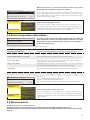
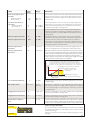
Device ID
O
U 00
1
Approve: Press OK for a number of seconds
Device ID:
You may give your C203 device a device ID. In SMS communication,
always type the device ID in front of the keyword (e.g. OU01 MEASUREMENTS).
Cancel: Press ESC for a number of seconds
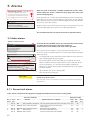
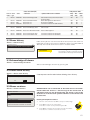
6.3 Network settings
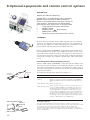
If you want to connect the C203 unit to an Ethernet network, you
will need an Oulink Ethernet adapter (additional equipment).
24