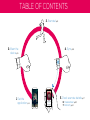
1
1.
Get the
application
2.
Wear the
device
3.
Exercise
History page
4.
Sync
5.
Check exercise
details
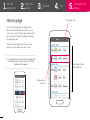
Navigation tabs
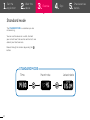
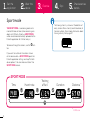
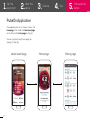
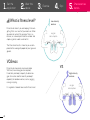
On the history page you can check all the
details of your past exercises either as a full
summary or as a list of your past week, month
or year. Use the tabs on the top of the page
to change the view.
You can also navigate to a full summary by
pressing a single exercise in the list view.
You can delete an exercise from the application
memory by pressing and holding it until the
delete button appears.
Scroll down to find
past exercises
Single exercise
summary
21