1
Getting Started
As a Template Creator you can create templates by adding and composing different elements
on them.
You can also create content on the templates you have created and upload media through
the web. This guide is for creating templates. For more information on editing content or
uploading files, see the User Guide for Content Editors.
For best user experience we recommend using the iDiD Management Site with Google
Chrome. You can also use Mozilla Firefox, Opera and Safari to access the site, and only with
Internet Explorer (v. 10) you may encounter some minor issues with compatibility.
Logging in
To enable you to manage your info screens anytime and from anywhere, the iDiD content
management is done through a web browser on a content management site you can log into
with any device that is connected to the internet.
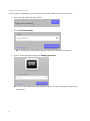
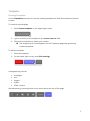
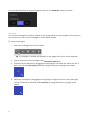
Log in to the management site on v4.idid.fi.
Log in using the email address the account is created for, e.g.
firstname.lastname@yourcompany.com.
1