1
DM-280 User’s Manual
I.
A.
B.
C.
D.
II.
A.
B.
C.
Table of Contents
Introduction
Page
1
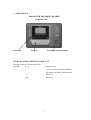
Appearance
Physical Description
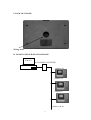
Back of Chassis
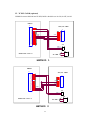
RS-485 Configuration Diagram
2
2
3
3
Set-up Procedures
3
Installation
Parameters: Dip Switch settings
Master card : Setting Function
3
5
6
D.
E.
F.
Temporary Card
Data Print-Out
ID CARD
11
12
12
III.
RS-232/RS-485 Communications
13
A.
B.
C.
D.
E.
F.
G.
H.
I.
IV.
A.
B.
C.
RS-232 Hardware Set-up
Rs-232 Communication Parameters
RS-485 Hardware Set-up
RS-485 Communications Parameters
Communication Data Format
Examples of Conversions
Command Overview
RS-232/RS-485 Command Codes
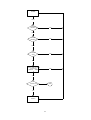
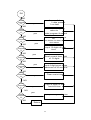
Control flowchart
13
14
14
15
15
16
17
17
21
23
Component of of DM280
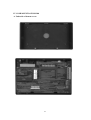
Underside of Bottom Cover
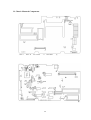
Chassis Mounted Components
Connection of External Music/bell
23
24
27
V.
RAM Card (optional)
28
A.
Introduction
28
29
VI . TCP/IP CARD (optional)
2