1
contents
1. Installation of ESET Mobile Antivirus.........4
1.1 Minimum system requirements....................................... 4
1.2 Installation.................................................................... 4
1.2.1
Installation on your Device......................................4
1.2.2
Installation using your computer.............................4
1.3 Product activation......................................................... 6
1.3.1 Username and password .................................................6
1.3.2 Registration key .............................................................6
1.4 Uninstalling................................................................... 6
2. On-access scanner.................................. 7
2.1 Settings........................................................................ 7
2.2 Testing On-access Scanning............................................ 8
3. On-demand scanner................................8
3.1
3.2
3.3
3.4
Running a Whole device scan.......................................... 8
Scanning a folder........................................................... 9
Settings........................................................................ 9
Scan objects setup........................................................10
4. Virus found........................................... 10
4.1 Quarantine....................................................................11
5. Spam filter............................................ 11
5.1
5.2
5.3
5.4
Settings........................................................................11
Whitelist / Blacklist....................................................... 12
Locating blocked (Spam) messages................................. 12
Deleting Spam Messages............................................... 13
6. Update..................................................13
6.1 Updating using your computer....................................... 13
6.2 Settings....................................................................... 13
7. Viewing Logs and statistics.................... 14
8. Troubleshooting.....................................15
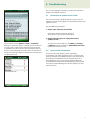
8.1 Connection to update server failed ................................. 15
8.2 Unsuccessful Installation............................................... 15
9. Technical support................................. 16