1
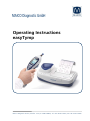
Operating Manual
easyTymp
Table of Contents
Page
1 Introduction ............................................................................................. 3
1.1 Description ............................................................................................ 3
1.2 Safety Notes .......................................................................................... 4
2 Impedance measurements ........................................................................ 6
2.1 Tympanometry ...................................................................................... 6
2.2 Acoustic Reflex ...................................................................................... 6
3 Getting started ......................................................................................... 8
3.1 PC system requirements......................................................................... 8
3.1.1 Supported Software ........................................................................ 8
3.2 Unpacking and inspecting...................................................................... 8
3.2 System installation ............................................................................... 10
3.2.1 Hardware installation .................................................................... 10
3.2.2 Optional Software ......................................................................... 14
3.3 Preparing the test ................................................................................ 15
3.3.1 Patient Instruction ......................................................................... 15
3.3.2 Visual inspection of the ear canal................................................... 15
3.3.3 Handling the eartips ...................................................................... 15
3.4 Cleaning the probe tip ......................................................................... 16
4 Operating easyTymp ............................................................................... 17
4.1 Operating Panel................................................................................... 17
4.2 Getting started .................................................................................... 17
4.3 Probe status indication......................................................................... 18
4.4 Operating easyTymp ............................................................................ 18
4.4.1 Test .............................................................................................. 19
4.4.2 Select Test Screen ......................................................................... 21
4.4.3 Done ............................................................................................ 21
Geba_easyTymp_Fe_12a.docx
1
853 263/4
01/12