1
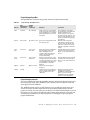
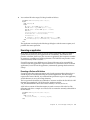
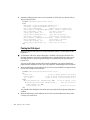
Caution
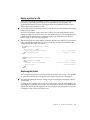
The delete watch commands cannot be reversed.
Evaluating and modifying expressions
You can evaluate expressions and change the values of data items using the Evaluate/
Modify dialog box. The Evaluate/Modify dialog box has the advantage over watches in
that it enables you to change the values of variables and items in data structures during
the course of your debugging session. This can be useful if you think you’ve found the
solution to a bug, and you want to try the correction before exiting the debugger,
changing the source code, and recompiling the program.
Evaluating expressions
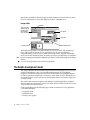
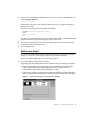
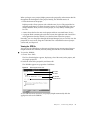
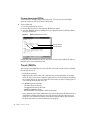
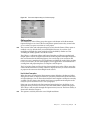
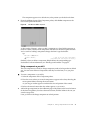
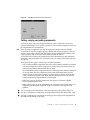
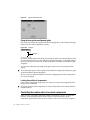
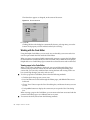
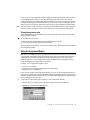
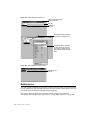
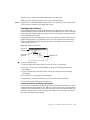
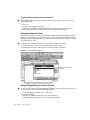
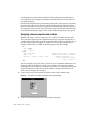
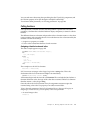
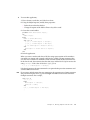
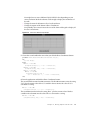
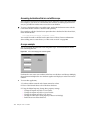
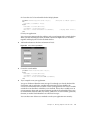
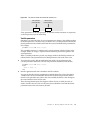
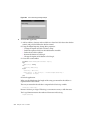
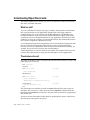
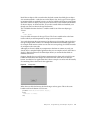
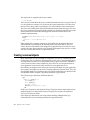
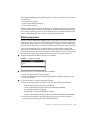
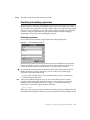
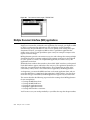
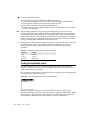
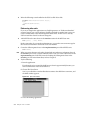
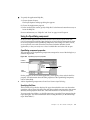
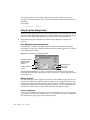
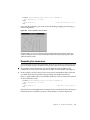
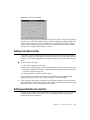
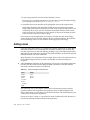
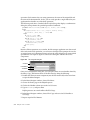
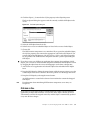
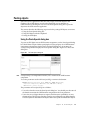
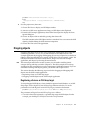
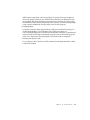
Choose Run|Evaluate/Modify to open the Evaluate/Modify dialog box.
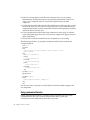
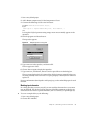
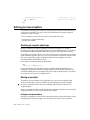
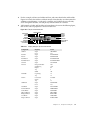
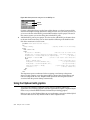
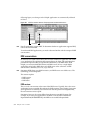
Figure 8.5
The Evaluate/Modify dialog box
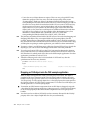
By default, the word at the cursor position in the current Code Editor is placed in the
Expression edit box. You can accept this expression, enter another one, or choose an
expression from the history list of expressions you’ve previously evaluated.
■
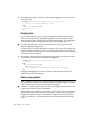
To evaluate the expression, click the Evaluate button at the bottom of the Evaluate/
Modify dialog box. Using this dialog box, you can evaluate any valid language
expression, except those that contain
• Local or static variables that are not accessible from the current execution point
• Function and procedure calls
Note
The Evaluate/Modify dialog box lets you view and modify the values of object
properties while running the program. However, to view a property, you need to
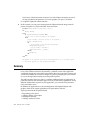
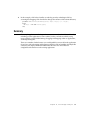
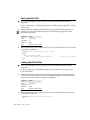
explicitly specify the property name. For example, you can enter the following
expression to evaluate the Caption property of Button1:
Button1.Caption
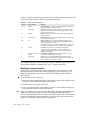
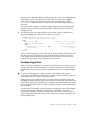
When you evaluate an expression, the current value of the expression is displayed in the
Result field of the dialog box. If necessary, you can format the result by adding a comma
Chapter 8, Using the integrated debugger
261