1
• your SQL server documentation
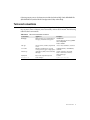
Depending on how you plan to work with SQL data, you may not need to read through
all of the above books. The following table shows what kind of information each type of
SQL Links user needs, and where to find it in SQL Links and related documentation.
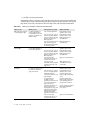
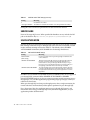
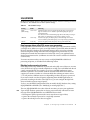
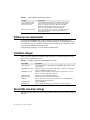
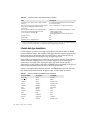
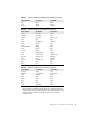
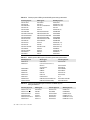
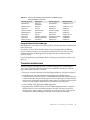
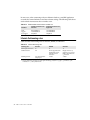
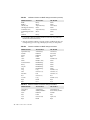
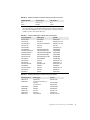
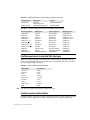
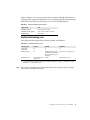
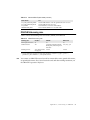
Table Intro.1
Where to find information on SQL Links and related topics
Who you are
What you do
Information you need
Where to find it
BDE application end-user
(no knowledge of SQL)
Use Borland desktop or
custom applications to
work with both local and
SQL data (graphical user
interface only)
How to install SQL Links
Borland SQL Links for
Windows User’s Guide
Borland SQL Links for
Windows User’s Guide
BDE application user
documentation
BDE application end-user
(knows SQL)
BDE application
developer
2
Use supported application
to pass SQL statements to
local and/or SQL data
Adapt existing applications
(or write new ones) for use
in a mixed workstation/
SQL environment
SQL Links User’s Guide
How to create one or more
aliases to the SQL database
How to connect to the SQL
database through your
BDE application
How to work with local and
SQL data through your
Borland desktop graphical
user interface (GUI)
How to install SQL Links
How to create one or more
aliases to the SQL database
How to connect to the SQL
database through your
BDE application
How to frame SQL
statements the server can
accept and work with
How to pass SQL
statements from your BDE
application directly to the
SQL server
How to install SQL Links
BDE application user
documentation
Borland SQL Links for
Windows User’s Guide
Borland SQL Links for
Windows User’s Guide
BDE application user
documentation
SQL server documentation
BDE application user
documentation and/or
online Help
How to create one or more
aliases to the SQL database
Borland SQL Links for
Windows User’s Guide
Borland SQL Links for
Windows User’s Guide
Differences between
workstation databases and
SQL databases
Product-specific online
Help for SQL and upsizing
issues
Programming tools
available to create
applications that will work
in a mixed workstation/
SQL environment
Product-specific online
Help for SQL and upsizing
issues, BDE application
programmer’s reference
Summary information on
data type translation,
language driver usage, and
other general factors that
influence the interaction
between the Borland
application and the server
How to frame SQL
statements the server can
accept and work with
Driver-specific appendix in
the Borland SQL Links
User’s Guide
SQL server documentation