1
Table of Contents
1
PREPARING FOR USE ............................. 1
1.1
Initial Inspection ............................................... 1
1.2
Software Installation ........................................ 2
1.2.1
System Requirements................................. 2
1.2.2
Install the Signal Hound Software............. 2
1.3
2
2.1
3.1.4
3.1.5
3.1.6
Measuring Low Level Signals .................17
Measurements Near DANL ...................17
Capturing Pulsed or Intermittent Signals 17
3.2
Viewing Modulation........................................17
3.2.1
Capturing Pulses in Zero Span .................18
3.3
Measuring Channel Power.............................19
3.4
Understanding Your Signal Hound..............19
3.5
Measuring Harmonics ....................................20
3.6
Measuring Phase Noise...................................20
Running the software for the first time ......... 2
GETTING STARTED.................................. 4
The Graticule ..................................................... 4
2.2
The Control Panel............................................. 5
2.2.1
FREQUENCY CONTROLS ..................... 6
2.2.2
SPAN CONTROLS.................................... 6
2.2.3
AMPLITUDE CONTROLS ...................... 6
2.2.4
MARKER CONTROLS ............................ 6
2.2.5
BANDWIDTH CONTROLS..................... 7
2.2.6
TRACE CONTROLS................................. 8
2.2.7
TRIGGER AND SWEEP CONTROLS ... 8
2.2.8
ADDITIONAL CONTROLS .................... 9
2.2.9
TRACKING GENERATOR CONTROLS9
2.3
The Menu ........................................................... 9
2.3.1
FILE............................................................. 9
2.3.2
EDIT.......................................................... 10
2.3.3
VIEW ........................................................ 10
2.3.4
PRESETS .................................................. 10
2.3.5
SETTINGS................................................ 10
2.3.6
TRACE...................................................... 11
2.3.7
Utilities...................................................... 11
2.3.8
HELP ......................................................... 12
3.7
Using the Measuring Receiver Utility ..........21
3.7.1
Audio Analysis Controls ..........................21
3.7.2
The Analyzer Data Window.....................22
3.8
3.9
Limitations of the Signal Hound ...................23
3.9.1
RBW Limitations ......................................23
3.9.2
IF Feed-Through .......................................23
3.9.3
LO Leakage ...............................................23
3.9.4
Sweep Time...............................................23
4
4.1.1
4.1.2
4.1.3
4.1.4
4.1.5
4.1.6
4.2
2.4
The Status Bar ................................................. 13
2.5
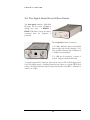
The Signal Hound Front & Rear Panels ..... 14
3
TAKING MEASUREMENTS .................... 15
3.1
Measuring Frequency and Amplitude......... 15
3.1.1
Using the Markers .................................... 15
3.1.2
Example: Identify a Signal’s Frequency
and Amplitude ........................................................... 16
3.1.3
Using the DELTA Marker ....................... 16
EMC Measurements .......................................23
ADDITIONAL FEATURES ....................... 25
Save / Recall State ....................................25
Printing ......................................................25
Listening to Demodulated Audio.............26
Using an External Timebase ....................26
Using an External Trigger ........................26
Using Sync Out .........................................27
Using Limit Lines ............................................27
5
THEORY OF OPERATION ...................... 28
5.1.1
The Four Sweep Modes............................28
5.1.2
Reducing Spurious and Residual
Responses...................................................................29
5.1.3
IF-to-Bits Receiver....................................29
5.1.4
IF and RBW Selection ..............................29
6
TROUBLESHOOTING ............................. 31