1
V. Installation Procedure
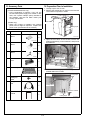
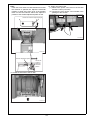
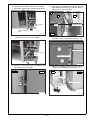
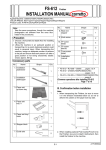
5. Remove the locking tape and the protection material from the connector and casters, and the notice
on how to bring the machine down onto the floor.
(Casters are also at both sides in front.)
Installation procedure for
[LS-505 + RU-504 + COLOR MFP 65ppm]
*
Protection material
Locking tapes
●●●●●●
●●●
●●●●●●
●
●●●●●●
●●●
●●●●●●
●●
●●●●●●
●
For the installation procedure for the RU-504,
see the RU-504 installation manual.
1. Turn OFF the machine's Sub and Main power
switches, and unplug the power cord.
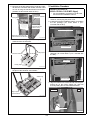
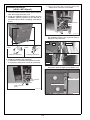
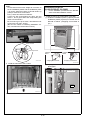
2. Install the machine installation plate/L (included in
the RU package) (TP screw M4x6: 4 pcs.:
included with the RU).
Caster locking
tape (also at both
sides in front)
Machine installation plate/L
Notice on how to bring the
machine down onto the floor
15ATIXC009CB
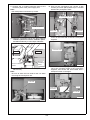
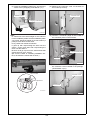
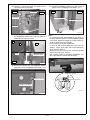
6. Remove the locking tapes and the protection
materials from the handcart.
TP screws M4x6
15ATIXE027SA
Protection materials
3. Install the blindfold plate (included in the RU
package) (TP screw M4x6: 2 pcs.: included with
the RU).
Locking tapes
Blindfold plate
Locking tapes
A0H1IXC002CA
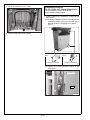
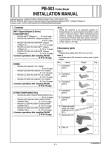
7. Align the stacker tray included in the package to
the pins of the handcart, and install it.
Stacker tray
TP screws M4x6
15ATIXE028SA
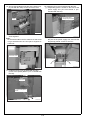
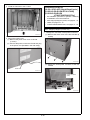
4. Align the bottom hole of the LS-505 with the positioning pin on the power supply unit, and lock
them by sliding the LS-505 toward the back.
LS-505
Align to pins
of the handcart
RU
Pin
A0H1IXC003CA
Hole position
15ATIXE029SB
E-3