1
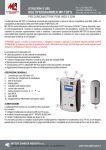
WARNING: In case of problems, it is possible to carry out a reset of device: press ENTER for 10 seconds. SELECTION COMMANDS To select a function among the different menus, press the arrows to choose the corresponding line. The selected line gets highlighted in white. Press ENTER to let the selection start. The arrow on the right indicates a submenu. To go back to the previous menu, press BACK. The display can show 3 lines and the title simultaneously: if the cursor on the hidden lines indicator (A) is not on the bottom, it means that pressing you can view other functions. A SWITCHING OFF To switch off the multiprogrammer, select the function Off in the main menu through the arrows , then press ENTER. If no key gets pressed within 3 minutes, the multiprogrammer switches off automatically. LANGUAGE To select the chosen language, select the function Options in the main menu through the arrows , then press ENTER. Select the function Language ENG in the “Options” menu through the arrows , then press ENTER. In this way only ENG gets selected. Select the chosen language through the arrows and press ENTER to confirm. The display will immediately update the notices in the selected language. Press BACK to go back to the main menu. The languages are: ITA = Italian ENG = English FRA = French DEU = German ESP = Spanish NED = Dutch BRIGHTNESS To change the display brightness, in the main menu select the function Options through the arrows , then press ENTER. Through the arrows , select the function Brightness in the “Options” menu, and then press ENTER. Set the desired brightness by selecting with the number keys: choose a value from 1 to 4. Press BACK to return to the main menu. LEVELS The multiprogrammer can be used in 3 different modes: - USER : User mode. It enables only reading procedures (no programming). We recommend this mode for the final user. - SERVICE : Technical service mode for Standard PSW, ZHF and MGX. It enables both reading and programming procedures. - MST-EX : Technical assistance mode for EXIDE PSW. To select the SERVICE or MST-EX mode, select the function Options in the main menu, then ENTER to confirm. Select the function Password and press ENTER to confirm. Type in the password and press ENTER to confirm. If everything is correct all the functions will get enabled and in the initial display the notice SERVICE or MST-EX will appear. WARNING: Ask the manufacturer for your password. CONNECTION TO THE BATTERY CHARGER In order to carry out the data reading or the parameter programming, connect battery charger and multiprogrammer through the proper cable. Check that the battery charger is disconnected from the mains supply. If the multiprogrammer displays Battery charger not found, check the connections. BATTERY CHARGER INDUSTRY s.r.l. Via Pietro Nenni, 17 / 19 - 25010 Colombare di Sirmione (BS) - ITALY Tel. +39 030 9906010 - Fax +39 030 9906011 - E-mail: mori@moriraddrizzatori.it - www.moriraddrizzatori.it P. IVA 02393720988 page 2 of 17