1
You will be prompted to select a dimension label format and a column separator. The
dimension label format determines what information will be included in your file for each
territory, variable, etc. The column separator determines which character will be used to
separate columns in the file.
Enter your e-mail address in the box in the middle of the dialog box and click the EXPORT TO
TEXT FILE button. The file will be created and an e-mail sent to you informing you how to
retrieve it. The file will not be included as an attachment to the e-mail, as it could potentially
be very large. Instead the e-mail will contain a link allowing you to download the file.
Downloading related files and large data selections
Any number of documents related to a given dataset may be available for download through
the data browser. To view the list of files, click on the dataset name, either in the BROWSE
THEMES list on the left, or in the list of recently-updated datasets visible in the centre of the
GETTING STARTED page.
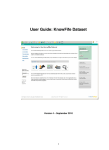
Figura 21: Finding files related to a dataset
21