1
1. Charge R42 Calibration Gas Humidifier with 5g of water with water syringe via water inlet.
2. Fit cylinder and regulator to R42 gas inlet via Teflon tubing and Luer attachment.
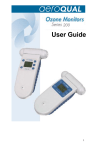
3. Place warmed up Aeroqual sensor head in R42 outlet as shown below. The Aeroqual sensor
head is now ready for zero or span calibration.
2
1
3
6.2. Zero Calibration
Under some circumstances the sensors may temporarily exhibit a baseline reading higher than zero
due to insufficient warm up or cross-sensitivity to other gases. In this case it is also worthwhile
checking against a standard zero air source.
1. Follow the initial set up instructions in 6.1
2. Flow zero air until the reading stabilises (about 10 minutes)
3.
Initiate Zero Calibration on the Aeroqual Monitor by:
•
Series 200: Press and hold the “enter” button until the word “Zeroing” appears next to
ZERO CAL. The routine will run for up to ten minutes (depending on the gas sensor
installed) and then beep to indicate completion.
•
Series 300 and 500: : Enter the CALIBRATE menu by pressing the “mute” and “scroll
down” buttons for 2 seconds. From here select “ZERO CAL” then:
o
Single gas heads: Toggle YES/NO using scroll button to YES then press enter.
The word “Zeroing” appears and the zero routine will run for up to ten minutes
(depending on the gas sensor installed) and then beep to indicate completion.
o
Multi-gas sensor heads and T/RH probe: Press enter to bring up the OFFSET
for the Sensor head. Use the scroll buttons to change the OFFSET and enter
button to accept. Calculate the new OFFSET using the equation below:
New OFFSET = Sensor Reading/GAIN + old OFFSET
Note 1: The Series 200 can only zero calibrate single gas sensors.
Note 2: Temp/RH offsets are stored on the handheld rather than on the sensor. All other
offsets are stored on the sensors.
Page | 21
Aeroqual Series 200, 300 & 500 User Guide