1
User’s_Guide_JF8900 2P Plus
SIB
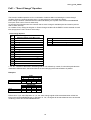
Software upgrade
Serial Interface BDM (SIB). This device is used to upgrade any
product by PAYTEC equipped with the following Payment
Systems: JF8900 / JEDY / GIODY / OSCAR / MINI / CV2406.
The following elements can be updated in JF8900 Plus:
• system software (.s19)
• programming messages P3000 (.msb)
• system configuration (.cfg.)
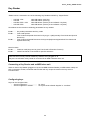
Transferring files to the SIB
Our website www.paytec.it (“download” area) contains the latest software release for each product. Download a
file and click on Setup (a new folder will be created following the path
C:\CONFIGURATOR\Revisions\JF8900Plus\Rev---),
then copy all the files from this folder on the SIB (by
means of Configurator)..
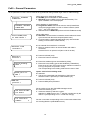
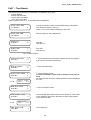
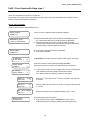
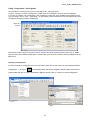
Select Comms/SIB/send files … on the menu bar
and the window here on the left is displayed. Select
the product folder (JF8900Plus), then click on "Add
SW revision" and "Add MSG file" to select both sw.
release and the message file.
Tick the flag "Clear SIB before file sending”.
Check the SIB is plugged on a serial port of the PC,
then give power (Power feeder 15VDC MC.01559).
Click on "Send files…" to transfer all the files selected
to the SIB; files will be transferred in a few minutes
(wait till the green Led is ON).
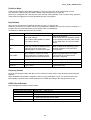
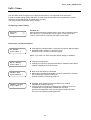
Software upgrade with a SIB
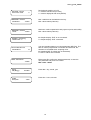
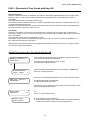
Switch JF8900 OFF and plug the SIB unit on the 6-pin connector (red), then
switch JF8900 ON again and wait till software upgrade has been completed
(green led ON). Switch JF8900 OFF and unplug the SIB.
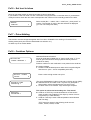
SIB connector (cable CB.01441)
Connecting cable is part of the SIB equipment.
62