1
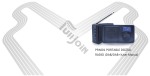
Pocket Radio
DAB/DAB+ RADIO
DB-100
Quick Start Guide
Press and hold the Power Button for more than 3 seconds to turn on the radio. The
green power indicator will flash and then stay illuminated and the start-up screen will
appear.
DAB Radio
When the DAB mode is selected for the first time the radio will automatically search
for local DAB and DAB + radio stations. Selecting <Station List> will display all the
radio stations found and play the first radio station automatically.
FM Radio
Press the Power Button once or access the <Main Menu> to switch to FM mode.
Press the Back Button to access the FM Main Menu.
Use the Control Wheel to navigate to <Auto Program> and then press the Enter
Button.
Previously stored radio stations will be updated automatically to show those new
stations found.
MP3
MP3 files stored on a Flash or SD card can be played back through the radio by
inserting a card into the card slot on the bottom of the radio.
Clock & Alarm
You can manually adjust the clock or use DAB and FM to synchronize the clock.
You can set either a DAB or FM broadcast as an alarm. When the alarm sounds, the
radio will play the previously selected preset radio station automatically.
Recording Function
It is possible to record an FM or DAB broadcast directly to internal Flash memory or
an SD card inserted into the card slot on the bottom of the radio.
1