1
Licensing Conversion Methods
2-13
Licensing Conversion Methods
Please read this section very carefully before changing your licensing method. If you are going to convert your licensing
method you MUST HAVE FEMAP AND NX NASTRAN CLOSED (not running) before you use the files described below.
You can change your licensing method (i.e., from using a security key to using a network license) using specific “batch”
files located in the FEMAP directory. The files are named “go_licensing method”.bat and require minimum user input to
change your licensing method. In general, the “go” batch files change your current “auth_102.dll” to use the appropriate
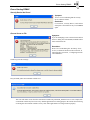
licensing method (auth_licensing method.dll) and may create or alter some other required files. FEMAP will open a “command prompt” and let you know if the conversion of the auth_102.dll has been successful. The various “go” files are
explained in greater detail below:
•
go_apionly.bat - converts your current licensing method to the “API Only” version of FEMAP
•
go_demo.bat - converts your current licensing method to the FEMAP Node-Limited Demonstration version.
•
go_dongle.bat - converts your current licensing method to use a security key.
•
go_network.bat - converts your current licensing method to use the FlexLM Network Client 11.8
•
go_network_11_9_1.bat - converts your current licensing method to use the FlexLM Network Client 11.9.1..
Note:
The default license server for FEMAP 10.3 is FlexLM 11.8. There are some known issues with certain
timeout parameters and using FlexLM over a VPN in FlexLM 11.8. Using the FlexLM 11.9.1 Network
Client after installing the FlexLM 11.9.1 License Server “may” help in reducing this issues.