1
User manual CDM 9FD - ECS 950FD
WARNING! Important safety instructions.
It is important for the safety to persons to follow these
instructions. Save these instructions.
Introduction
A complete operator always comprises of one drive
unit and one control unit. Normally the mechanical unit
activates the door’s transmission shaft directly.
Operating instructions
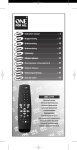
Open - stop - close can always be activated from the
control unit (Fig 1).
To open: Press the Open arrow button < >.
To close: Press the Close arrow button > <.
To stop: Press the red Stop button.
Additional functions
This type of control unit can always be equipped with
additional functions. This could be radio and/or safety
photocell to make the passing easier for the users of
the door.
N.B.
Modification of existing equipment or connection
of equipment not approved by Crawford may cause
problem and hazard.
External pushbutton units are to be located within
direct sight of the driven part but away from moving
parts. Unless it is key operated, it is to be installed at
a minimum height of 1,5 m and not accessible to the
public. Do not allow children to play with fixed controls. Keep remote controls away from children.
This must be done due to safety reasons.
Functional description drive unit
The drive unit has an electric motor that via a transmission is connected with the door.
If the motor is switched off or if the current is cut off,
the door will be stopped by the operator.
To be able to operate the door manually, the motor
and the brake have to be mechanically separated from
the transmissionshaft. This can be done from floor
level. If this is done, the power supply to the motor is
switched off.
Safety information
5-6 centimetres before closed position, when the rev
monitor works as safety, it will only stop).
The safety edge is actively monitored. This means that
the safety edge is tested each time the door is closed.
If the door leaf has passed the limit switch closed door
without detection of a pulse from the pneumatic switch,
the control unit goes into hold-to-run function. The
door can now only be closed by pressing the closebutton continuously.
NB: To avoid injury during operation of the excitation unit, monitor the door’s closing movement until
the door is closed.
The pinch guard can be reset automatically if the pinch
guard is working and issues a signal at an almost closed
position (< 50 mm from the floor) during hold-to-run
operation close.
N.B. The safety edge must be reset with the door in fully
open position.
Power failure
In case of a power failure the door will be stopped
immediately. When the power comes back it is only
possible to open the door and "hold-to-run" function
when closing.
First when the door has been fully opened will it return
to normal operation.
Supervision of door movement
The operator continuously monitors the door movement. Should the doors movement be obstructed in any
way, e.g. that something has got stuck on the door or
that the door hits something, the operator will stop the
door when it is opening and stop and reverse the door
when it is closing. If the door is obstructed in its movement during the last 5 cm of the closing movement,
the door will only be stopped.
N.B. If an error in any safety system is verified or
suspected, the door must be taken out of operation or
repaired at once by qualified personnel.
Disengagement of operator; (Fig 4)
Pull down the green ball.
Pneumatic edge (Fig 3)
The side edge sealings are connected to a pneumatic
switch via a hose. If the sealings are compressed while
the door is on its way to close, the circuit in the control unit reacts by reversing the door (during the last
Engage: Pull down the red ball. If the operator does
not start again - push the door panel a little outwards
or inwards until the engagement is felt and start
again. After disengagement it is only possible to open
- ( 32 ) -
K046568