1
Content
Important information iii
Typographical conventions iii
Important note iii
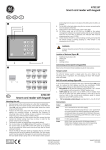
Keypads and readers 1
Using your PIN and/or card to access the system 4
Duress 5
Door access 6
Set and unset the system 7
When to set 7
When to part set 7
When to unset 7
The time limit to leave the premises once set 7
The time limit when unset 8
Unset when there is an alarm 8
When you cannot set or unset 8
Set areas via LCD keypad 10
Part set areas via LCD keypad 10
Unset areas via LCD keypad 11
Set areas via keypad without LCD 11
Unset areas via keypad without LCD 12
Autoset 12
Areas displayed during set and unset 12
What to do when there is an alarm 14
What happens when there is an alarm 14
Who to contact when an alarm occurs 14
Viewing an alarm 15
Resetting an alarm 15
Acknowledging the alarm 15
Performing a walk test 15
Problems that can occur 16
The Advisor Advanced menu 17
How the menu option sections are organised in this manual 17
Option availability 17
Accessing menu 18
Advisor Advanced User Guide
i