1
Web Content
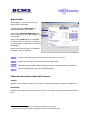
After logging in, you will see a list of the
pages within your website.
Pages placed under 'Web Pages' are
generally available to your visitors.
Pages under 'Protected Web Pages' can
only be accessed by users after logging in on
your website2.
Pages under 'Trash Can' are not available
to visitors. They can, however, be restored
by moving them to 'Web Pages' or 'Protected
Web Pages'.
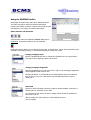
Next to each listed web page, some details
are listed, as well as 4 buttons:
Creates a new web pages, located below the current one in tree view
Deletes the web page (moves the page directly under trash)
Move the web page below another page (also used to move pages to/from 'protected')
Edit the web page using the built-in WYSIWYG editor.
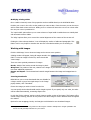
Other left-menu items under Web Content3:
Images
Displays a list of images currently in your CMS. You can delete existing or upload new images here.
Documents
Displays a list of documents currently in your CMS. You can delete existing or upload new documents
here.
2
3
These pages are only available on websites that feature a log-in system.
Documents and images can also be managed while using the WYSIWYG editor.