1
3. Install the USB driver
The RFXtrx has the FTDI FT232R USB interface chip installed.
The USB drivers are available at http://www.ftdichip.com/Drivers/VCP.htm
4. Run RFXmngr or RFXflash on Linux under Mono
Open a Terminal screen in Linux (Ctrl-Alt-T)
Execute once:
Install Mono:
[sudo] apt-get install mono-runtime
Install VisualBasic support under Mono:
[sudo] apt-get install libmono-microsoft-visualbasic8.0-cil
If the USB device is created as ttyACMx you will need to create a link between
/dev/ttyACMx and a serial port /dev/ttySx.
This is not necessary if the device is created as /dev/ttyUSBx !!
[sudo] ln -sf /dev/ttyACM1 /dev/ttyS3
Note: sudo must be entered without brackets [ ]. sudo is required if not running as super user.
Launch the RFXflash.exe program.
[sudo] mono RFXflash.exe
OR
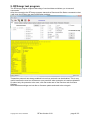
Launch the RFXmngr.exe program.
[sudo] mono RFXmngr.exe
Copyright 2011-2012, RFXCOM
RFXtrx Version 2.20
page 7 / 23