1
2. Supplied Contents
Please ensure that all the following parts are included in DIGI32’s packaging box:
•
•
•
•
•
PCI Card DIGI32
Short Info
RME Driver CD
Optical cable (TOSLINK)
Internal cable (2 wire)
3. System requirements
• Windows 95 / NT or MacOS
• A free PCI bus slot
• An unused IRQ
™
™
™
Additional system requirements such as CPU, memory etc. depend on the software used for
recording, playing and editing the audio data.
4. Brief Description and Characteristics
•
•
•
•
•
•
•
•
•
•
•
•
•
•
•
•
•
•
•
•
•
Short, full Plug & Play compatible PCI card
16 / 20 / 24 bit audio resolution
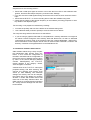
System integration with Windows’ Device Manager
Display of the input sample frequency
3 inputs switchable during operation
Outputs optical / cinch work simultaneous (signal distribution possible)
Accepts Professional and Consumer Format
Ignores copy protection
Error LED for input signal
Low Jitter Design: < 3 ns in PLL mode (44,1 kHz, optical In)
Sample aligned simultaneous start of record and playback in Record while Play mode
High sensitive input stage (< 0,2Vss input level)
Ground free transformer coupled inputs and outputs
No DMA or input / output address needed
Full Duplex (simultaneous recording and playback)
™
™
™
Driver for Windows 95 , Windows NT and MacOS
Works with every usual recording or editing software
Monitoring (pass through mode for input signal)
High bus transfer rate (> 120 MByte/s) ensures minimal CPU / system load
More than one card with only one driver useable (Windows)
Automatic hardware self-test when booting
User's Guide DIGI32 © RME
3