1
•
MODBUS compatibility
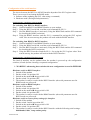
The ARF35 is MODBUS RTU and ASCII compatible, if the following recommendation is
fulfilled: the radio rate and the serial rate must be equivalent (this for avoiding a MODBUS
packet splitting).
¾ With the 10 kbit version (radio rate) the serial speed must be 9 600 baud
¾ With the 40 kbit version (radio rate) the serial speed must be 38 400 baud
•
Sending a serial command using HYPERTERMINAL
The serial command can be sent using a standard terminal. Hereafter an illustration is done
with HyperTerminal and the SLI command.
Step 1. First you must edit a text file and type the command you want to send (without any
additional character): SLI.
Step 2. When saved, check the length of the text file in its properties Î the size MUST be 3
for the SLI command
Step 3. Open HyperTerminal, configure the serial parameter to 9600, 8 bits, 1 stop, no parity
Step 4. Send the text file created in step 1
Step 5. The terminal must display all registers values.
WARNING: When using a terminal in WINDOWS environment, the delay between
characters is not guaranteed. Even if you are sending the command using a text file (as
describe above) you can have some delay between the characters Î if so, the modem is not
able to successfully retrieve the requested command. Try to use another terminal or another
PC.
06-06-V6-smn
p13