1
Settings
19
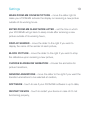
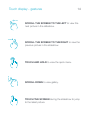
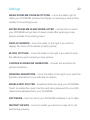
WAKE ZOOM.ME ON NEW PICTURE – move the slider right to
make your ZOOM.ME activate the display on receiving a new picture
outside of its working hours.
ENTER ZOOM.ME SLEEP MODE AFTER – set the time in which
your ZOOM.ME will go back to sleep mode after receiving a new
picture outside of its working hours,
DISPLAY SENDER – move the slider to the right if you wish to
display the name of the sender of each picture,
BLOCK PICTURE – move the slider to the right if you wish to stop
the slideshow upon receiving a new picture,
CHOOSE SLIDESHOW ANIMATION - choose the animation for
picture transitions,
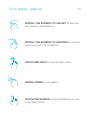
RANDOM ANIMATIONS - move the slider to the right if you want the
transition animations to be selected at random,
SOFTWARE - touch to see if your ZOOM.ME software is up to date,
RESTART DEVICE - touch to restart your device in case of it’s not
functioning properly,