1
Table of Contents
Chapter 1
Getting Started.............................................................. 1-1
Getting the Tablet PC Running .............................................. 1-2
Unpacking ........................................................................... 1-2
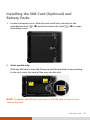
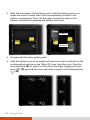
Installing the SIM Card (Optional) and Battery Packs ...... 1-3
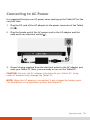
Connecting to AC Power .................................................... 1-5
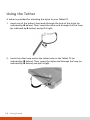
Using the Tether ................................................................. 1-6
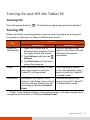
Turning On and Off the Tablet PC .................................... 1-7
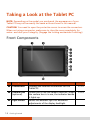
Taking a Look at the Tablet PC .............................................. 1-8
Front Components .............................................................. 1-8
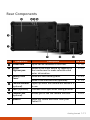
Rear Components ............................................................. 1-11
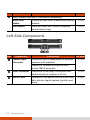
Left-Side Components ...................................................... 1-12
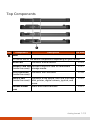
Top Components............................................................... 1-13
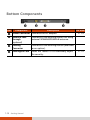
Bottom Components ........................................................ 1-14
Chapter 2
Operating Your Tablet PC ............................................. 2-1
Navigating on the Screen ....................................................... 2-2
Using the Touchscreen ....................................................... 2-2
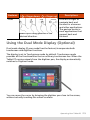
Using the Dual Mode Display (Optional) .......................... 2-5
Using the Network Features................................................... 2-6
Using the LAN (Optional) ................................................... 2-6
Using the Wireless LAN ...................................................... 2-6
Using the BT Feature .............................................................. 2-8
Turning On/Off the BT Radio ............................................. 2-8
Connecting to another BT Device...................................... 2-9
Using the WWAN Feature (Optional) .................................. 2-10
Turning On/Off the WWAN Radio................................... 2-10
Setting up a WWAN Connection ..................................... 2-11
i