1
Professional, Creditable, Successful
DGUS_SDK User Guide V4.9.0
1. DGUS_SDK Instruction
1.1 Operation of DGUS_SDK
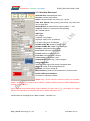
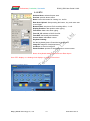
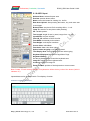
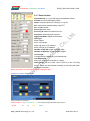
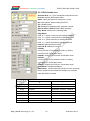
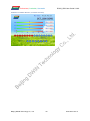
1. DGUS (DWIN Graphical Utility Software) is an intelligent GUI design software for DWIN DGUS
LCM with K600+. By using DGUS, magnificent display effect can be achieved easily and rapidly,
with much less programming than ever before. Variables are defined by DGUS_SDK and users
can feel free to design the visualize GUI. All parameters and images can be downloaded via SD
card which stores related .bin files to make your design into real application.
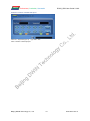
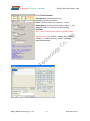
2. Install DGUS_SDK_V4.9:
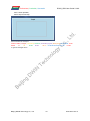
Unzip DGUS_SDK_V4.9.rar, and click DGUS ToolV4.9.exe to run it.
(.net Framework 2.0 is required to run the software).
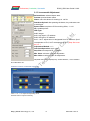
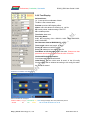
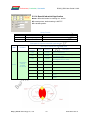
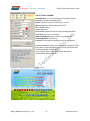
3. VP (Variable Pointer): The addresses of variables in variable SRAM (56KB). Users can set
buttons with defined VP, to change the value in this address and display contents corresponding
with the value in VP address.
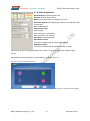
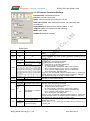
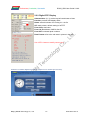
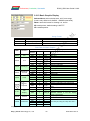
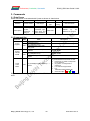
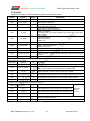
SP (Stack Pointer): the address of definitions, starting address of description data of variables.
Change the value in particular address to modify variable properties. Take <WordArt> function as
example.
Definition
Data
Length
0x00
0x5A03
2
0x02
*SP
2
Stack pointer, default setting is 0xFFFF.
0x04
0x0007
2
The whole process length (in terms of words).
Add.
Description
0x06
0x00
*VP
2
Variable pointer.
0x08
0x01
X,Y
4
Top-left coordinate of text, left aligned.
0x0C
0x03
Icon0
2
Icon ID corresponding to 0, the sequence is “0123456789-.”.
0x0E
0x04:H
Icon_Lib
1
Address of icon file.
0x0F
0x04:L
Icon_Mode
1
ICON display mode.
0x00: transparent, others: opaque.
0x10
0x05:H
Int_Num
1
Length of integer digits.
0x11
0x05:L
Dec_Num
1
Length of decimal digits.
0x12
0x06:H
VP_Data_Mode
1
0x00: integer (2 bytes), 0x01: long integer (4 bytes).
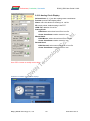
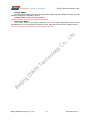
If SP is set at 0x5000 for WordArt variable,
VP parameter will be saved in 0x5000 address,
Variable position parameters will be saved in 0x5001-0x5002 address.
And so on.
Beijing DWIN Technology Co., Ltd.
2
www.dwin.com.cn