1
Modelling Cylinders Automatically ............................................................................................... 25
Modelling Cylinder Components .................................................................................................. 25
Modelling Pipe Objects without the Point Cloud.......................................................................... 28
Modelling Patches......................................................................................................................... 28
Modelling Steel Beams – Fit to Cloud Method ............................................................................. 32
Modelling Steel Beams – Extrude Shape Method (Cyclone 9.0) .................................................. 34
Modelling Boxes (Cuboids) ........................................................................................................... 34
Modelling Spheres ........................................................................................................................ 34
Modelling Targets ......................................................................................................................... 34
Modelling to standard sizes .......................................................................................................... 35
Merging models back into the original Model Space ................................................................... 35
Object Handles .............................................................................................................................. 35
Quick Move ................................................................................................................................... 35
Copying Multiple Models .............................................................................................................. 36
Changing the Appearance of Modelled Objects ........................................................................... 36
Grouping Modelled Objects .......................................................................................................... 36
Fit Edge Tool.................................................................................................................................. 36
Import/Export DXF files with Cyclone ........................................................................................... 37
Model Library .................................................................................................................................... 37
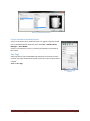
To Import a Model from the Model Library.................................................................................. 37
To Save a Model to the Model Library .......................................................................................... 38
Geo Tags............................................................................................................................................ 38
Creating a TruView............................................................................................................................ 39
Key Plans ........................................................................................................................................... 39
Limit Boxes ........................................................................................................................................ 39
Fences ............................................................................................................................................... 40
Viewing Modes ................................................................................................................................. 41
Perspective view ........................................................................................................................... 41
Orthographic view......................................................................................................................... 41
Seek ............................................................................................................................................... 41
View Mode .................................................................................................................................... 41
Pick Mode...................................................................................................................................... 41
Multi-pick Mode............................................................................................................................ 41
Hide the Point Cloud ..................................................................................................................... 41
C.R.Kennedy & Company
Page 3