1
Table of Contents
Conventions ............................................................................................. 1
Using the Keyboard .......................................................................................... 1
Using the Mouse ............................................................................................... 2
Terms ............................................................................................................... 3
Getting Started with FAMIS ..................................................................... 4
Introduction ....................................................................................................... 5
Logging On ....................................................................................................... 7
Password Requirements ................................................................................... 9
The Welcome Screen...................................................................................... 10
The Asset List ................................................................................................. 11
The Work Tabs ............................................................................................... 12
Data Entry Techniques, Tips & Hints............................................................... 13
Using the Keyboard...................................................................................... 13
Using the Mouse .......................................................................................... 13
Work Tabs Scroll Arrows .............................................................................. 14
Text Tips ...................................................................................................... 14
Searching for Assets....................................................................................... 15
Navigate to an existing Asset ....................................................................... 15
‘Search’ using the Toolbar Menu .................................................................. 15
Setting up an Asset List .................................................................................. 17
User Contact Details ....................................................................................... 19
Shutdown Procedure ...................................................................................... 20
Work Requests ....................................................................................... 21
Request Work ................................................................................................. 22
Unplanned Work ............................................................................................. 23
Planned Work ................................................................................................. 25
Work Agreement..................................................................................... 26
Agreement of Works ....................................................................................... 27
Authorise, Dispute or Delete an Agreement .................................................... 28
Clearing an Action........................................................................................... 28
Action List Options .......................................................................................... 29
Amending Work Details................................................................................... 30
Job Tracking........................................................................................... 31
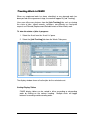
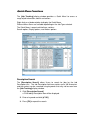
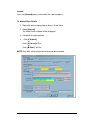
Tracking Work in FAMIS ................................................................................. 32