1
RP1300 User‟s Manual
17
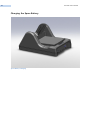
Charging the Main Battery
Before using the RP1300 for the first time, charge the main battery until the amber Charging/Battery Status
LED remains lit (see Table 1-1 for charge status indications). To charge the RP1300, use a cable or a cradle
with the appropriate power supply. For information about the accessories available for the RP1300, see
Accessories Chapter.
For cable and cradle setup and charging procedures see Accessories Chapter for more information.
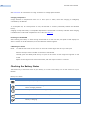
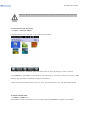
Charge Only Cable
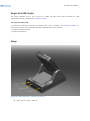
Single Slot USB Cradle
To charge the main battery:
Connect the charging accessory to the appropriate power source.
Insert the RP1300 into a cradle or attach to a cable. The RP1300 begins charging.
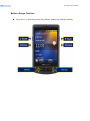
The Charging/Battery Status LED red while charging, then turns LED green when fully charged. See
Table 1-1 for charging indications.
The 1860 mAh battery fully charges in approximately four hours and the 4000 mAh battery fully charges in
approximately six hours.
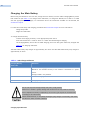
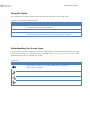
Table 1-1 LED Charge Indicators
Charging/Battery
Indication
Status LED
Off
RP1300 is not charging.
RP1300 is not inserted correctly in the cradle or connected to a power
source.
Charger/cradle is not powered.
Red LED
RP1300 is charging.
Green LED
Charging complete
Do not use any other charger except one (5.0V / 3.5A) provide.
Make sure to handle it gentle; damage with excessive force may cause no warranty.
Risk of explosion if battery is replaced by an incorrect type. Dispose of used batteries
according to the instructions.
When attached battery is completely discharged, plug charger to main body, then reset
the device to check if screen is back on.
Charging Spare Batteries