1
Contents
1
AEG Pro forma .........................................................................................................................3
2
Site user roles ...........................................................................................................................4
3
Logging in ................................................................................................................................5
4
Navigation ...............................................................................................................................6
5
Type of Orders .........................................................................................................................8
6
Adding products to your cart ................................................................................................9
6.1
6.2
6.3
7
7.1
7.2
Searching for products and adding products from the search results screen............. 9
From an individual product page ....................................................................................... 10
Adding a model directly to the cart ................................................................................... 11
The shopping cart .................................................................................................................12
The shopping cart preview ................................................................................................... 12
The shopping cart ................................................................................................................... 13
8
Checking out and completing an order ............................................................................14
9
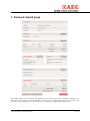
Review & Submit page .........................................................................................................19
10
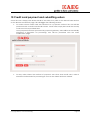
Credit card payment and submitting orders .....................................................................20
11
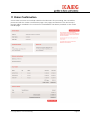
Order Confirmation ...............................................................................................................21
12
Cancelling credit card payment ........................................................................................22
13
Processing ‘Consignment SOH’ orders ...............................................................................22
14
Processing mixed orders ......................................................................................................24
14.1
14.2
14.3
15
15.1
15.2
Adding mixed stock type products to the shopping cart .............................................. 24
Order details page ................................................................................................................. 25
Review and Submit ................................................................................................................. 27
Promotions .............................................................................................................................29
Promotions Menu .................................................................................................................... 29
Search Results page ............................................................................................................... 29
16
Saving order as draft ............................................................................................................30
17
Cancelling an order .............................................................................................................32
18
Error handling ........................................................................................................................33
19
Editing completed orders ....................................................................................................34
20
Collecting balance payments for completed orders ......................................................36
21
Creating and retrieving a quote .........................................................................................38
21.1
21.2
21.3
Creating a quote .................................................................................................................... 38
Creating a quote with a promotion .................................................................................... 39
Retrieving a quote .................................................................................................................. 39
Copyright © 2014, Orchard Marketing
Page i