1
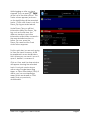
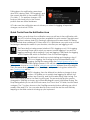
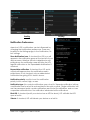
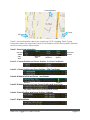
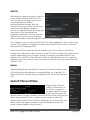
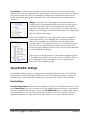
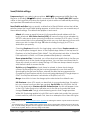
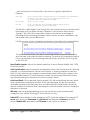
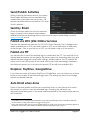
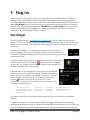
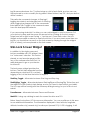
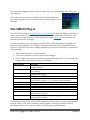
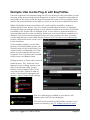
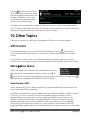
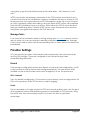
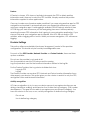
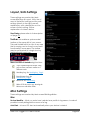
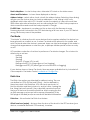
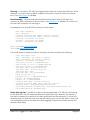
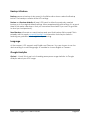
Log Formats: the three check boxes at the bottom allow you to choose which log formats will be sent or published. UGL will operate on those formats it finds from among the checked formats. That is, for example, if all three are checked but there are no NMEA format files among the selected tracks, UGL will operate on the log formats it does find. Merge: if checked, UGL will merge the selected logs into a single log with one merged log file produced for each found and selected log format. UGL will merge the selected files together and then send it (and not the source logs that were merged) according to the selected method(s). The original logs are not affected by merge. Within the merged kml or gpx files, each of the component tracks that went into the merged file continues to retain its identity. The example on the left shows a merged kml file structure open in Google Earth. Both of the component tracks can be seen as well as the placemarks from each log. The tracks are given differing colors so they can be easily identified on the Google Earth display. The structure of the gpx version of the same merged log open in Google Earth is shown on the left. As for the kml file, both of the component tracks and all of the track waypoints are reflected in the merged gpx file. Send/Publish Settings Send/Publish settings can be configured by selecting Online Services on the Settings screen (Main screenSettingsOnline Services). The following is a brief overview of these settings; more detail is provided when necessary with each of the methods. Email settings Default Email Address: enter the email address to which you want logs to be sent. If you press Select Email, you can choose one of your existing email accounts on your device to be the Default Email Address. Check the Use HTML Email box to enable HTML format for the emails. Note that Use HTML Email only applies to auto-sent emails. Those sent manually will be sent in plain text rather than html due to Android email limitations. Ultra GPS Logger v3.0 User's Guide Page 44