1
TED8620 User’s Guide
CONTENTS
1
PRODUCTION ··································································· 4
1.1.1 Features ····································································· 4
1.2 SYSTEM REQUIREMENTS ·······································4
2
PACK CONTENTS ································································ 5
2.1
2.2
3
FRONT PANEL ·······················································5
REAR PANEL ·························································6
QUICK START··································································· 7
3.1
PART 1 — CONNECTING THE HARDWARE·············8
3.1.1 Step 1. Connect the ADSL cable and optional
telephone. ················································································ 8
3.1.2 Step 3. Attach the power connector. ···························· 9
3.1.3 Step 4. Turn on the ADSL. and power up your
systems. ··················································································· 9
3.2
PART 2 — CONFIGURING YOUR COMPUTERS ·······9
3.2.1 Before you begin ························································· 9
3.2.2 Assigning static Internet information to your PCs······· 9
3.3
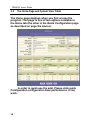
THE HOME PAGE AND SYSTEM VIEW TABLE ······12
3.3.1 Default Router Settings ············································· 17
3.4
4
USE SOFTWARE DIAL-UP OUTSIDE················· 19
4.1
4.2
4.3
4.4
2
TESTING YOUR SETUP·········································18
PREPARE WORK ···················································19
THE SOFTWARE INSTALL ·····································19
ADSL MODEM PARAMETER SETUP ··················23
DIAL-UP····························································23