1
Operating Instructions – Jura XF50 fine foam
Cappuccino
1. Place your cup / mug under the milk / coffee spout on the right.
2.
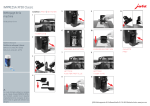
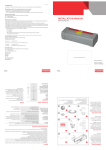
Turn the milk selector to the foam milk position – See diagram below.
3. Press the cappuccino key. Your cappuccino will now be poured
Flat white
1. Place your cup/mug under the spout on the right.
2. Turn the milk selector to the flat milk position – See diagram below.
3. Press the Latte macchiato key. Your flat white will now be poured
Café Latte
1.
Follow the procedure for making a cappuccino.
2.
When your cup or glass 1/3 full of foam milk, turn the milk selector to the flat milk position.
Espresso or Long Black
1.
Place your cup / mug under the middle spouts and press espresso or coffee key. Your drink
will now be poured. Press the button twice for a double espresso or two long blacks.
Note: Each key is fully programmed however you can stop the milk and coffee flow short by pressing
any key while it is pouring. Adjustments to suit personal preference can also be made using
the rotary dial. These changes do not affect the programmed settings.
My Coffee Shop Pty Ltd
ACN 102 850 037
clientservices@mycoffeeshop.com.au
9 Hall St
Hawthorn East VIC 3123
ph: 03 9946 4160
fax: 03 9822 6269
1300 365 487
Shop 93,1-5 Harwood Street
Pyrmont NSW 2009
ph: 02 9034 6580
fax: 02 9034 6586
www.mycoffeeshop.com.au