1
DMC-FS3PDF-VQT2S18_eng.book
105 ページ 2010年1月21日 木曜日 午後1時58分
Connecting to other equipment
[PLAYBACK] Mode: ¸
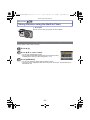
Playing Back Pictures on a TV Screen
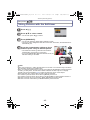
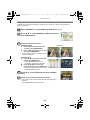
Playing back pictures using the AV cable (supplied)
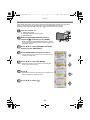
Preparations:
Set the [TV ASPECT]. (P25)
Turn this unit and the TV off.
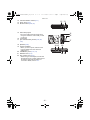
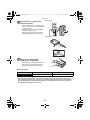
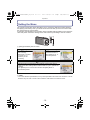
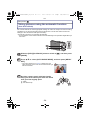
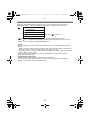
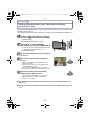
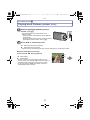
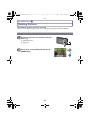
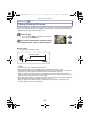
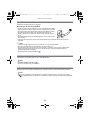
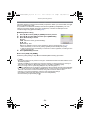
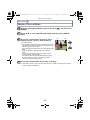
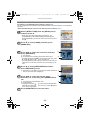
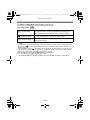
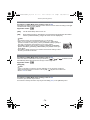
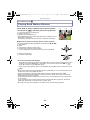
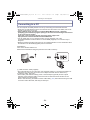
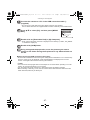
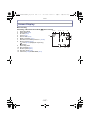
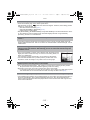
1 Yellow: to the video input socket
2 White: to the audio input socket
A Align the marks, and insert.
B AV cable (supplied)
• Check the directions of the connectors, and plug them straight in or unplug them straight out.
(Otherwise the connectors may be bent out of shape which will cause a malfunction.)
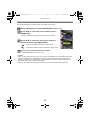
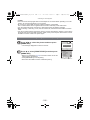
Connect the AV cable (supplied) to the video input and the audio input
sockets on the TV.
Connect the AV cable to the [AV OUT] socket on the camera.
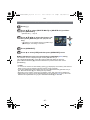
Turn the TV on and select external input.
Turn the camera on.
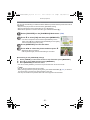
Note
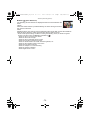
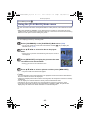
• The LCD monitor of this unit is turned off when the AV cable is connected.
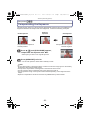
• Depending on the [PICTURE SIZE], black bands may be displayed on the top and bottom or
the left and right of the pictures.
• Do not use any other AV cables except the one supplied.
• Read the operating instructions for the TV.
• When you play back a picture vertically, it may be blurry.
• You can view pictures on TVs in other countries (regions) which use the NTSC or PAL system
when you set [VIDEO OUT] in the [SETUP] menu.
- 105 -