1
Table of Contents
Thank You
.............................................
5
Overview .............................................. 5
Parts List
............................................... 6
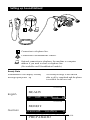
Setting up SoundStation2 ........................ 7
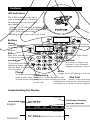
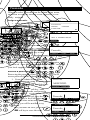
Features ................................................ 8
LED Indicators ......................................................................................... 8
Buttons .................................................................................................. 8
Understanding the Display ....................................................................... 8
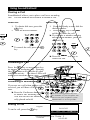
Using SoundStation2
............................... 9
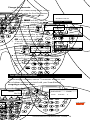
Placing a Call .......................................................................................... 9
Answering a Call ..................................................................................... 9
Answering a Second Call .......................................................................... 9
Ending a Call ........................................................................................... 9
Call Hold ............................................................................................... 10
Call Mute .............................................................................................. 10
Call Timer ............................................................................................. 10
Redial ................................................................................................... 10
Ringer Volume Adjustment ..................................................................... 11
Dial Tone and Volume Adjustment ........................................................... 11
Speaker Volume Adjustment .................................................................. 11
Display Contrast ................................................................................... 11
Ring Type ............................................................................................. 12
Back Light ............................................................................................. 12
Language .............................................................................................. 13
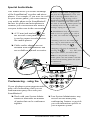
Special Audio Mode ............................................................................... 14
Conferencing - using the
button ..................................................... 14
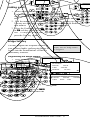
Adding a call ......................................................................................... 15
Bridge Soft Key ..................................................................................... 15
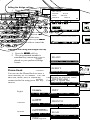
Phone Book .......................................................................................... 16
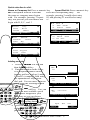
View System Information ...................................................................... 18
Auxiliary Audio Port .............................................................................. 19
Troubleshooting ................................... 20
No Dial Tone ......................................................................................... 20
Does Not Ring ....................................................................................... 20
Flickering LCD ....................................................................................... 20
Keypad Input Doesn·t Register............................................................... 20
Muffled or ´in a wellµ Reception ........................................................... 20
Short Silences, Echoes, or Clipped Speech ................................................ 21
Physical Damage ................................................................................... 21