1
Wireless Broadband
About the InZone E960 device
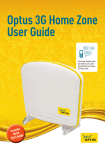
The InZone E960
1 Phone Cable Connection
2 Ethernet Cable Connections
3 Power Adapter Connection
10 Sim Card Cradle
11 Reset Button
This pack includes:
4 Pedestal
5 Network Mode Indicator
• The InZone E960
6 Signal Strength Indicator
7 Power Button (ON/OFF key)
• An Ethernet Cable (Grey)
8 WiFi (WLAN) Indicator
9 Power Indicator
• User Guide
• Pedestal
• A Power Adapter (white)
• 6 Step set-up guide
10
9
1
8
2
7
6
5
3
4
11
The InZone E960 uses the Optus Mobile 3G/HSPA (2100MHz) network to deliver your
wireless service.
3