1
FLIR ONE QUICK START
STEP 1
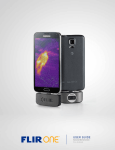
Charge the FLIR ONE   with the included USB power cable. The LED
next to the USB connection blinks on and off while the FLIR ONE  is
charging and stays on continuously when it is fully charged. Once the
FLIR ONE is charged, attach it to the phone.
TM
Android Spacer: For users that do not have a case on their Android, a
provided spacer can be attached to the FLIR ONE to create a snug fit and finish.
See page 9 for more information.
STEP 2
Download and install the FLIR ONE  app, which is available on
Google Play . When you start the FLIR ONE app, a short tutorial will
be displayed to help you get started with the FLIR ONE.
TM
STEP 3
Press the power button on the side of the FLIR ONE to turn it on.
Initially, the indicator light will turn orange, and then it will flash
green when the device is ready.
TM
USER GUIDE 2