1
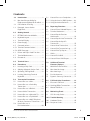
Contents
1.0Introduction..................................... 2
5.9
1.1
Merchant Responsibility for
Equipment and Materials Provided... 2
5.9.1 Using the Invoice/ROC Number...... 43
1.2
Cancellation of Facility...................... 2
1.3 Damaged, Lost or Stolen
Equipment.......................................... 2
2.0 Getting Started................................ 3
2.1
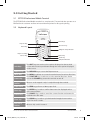
EFTPOS Professional Mobile............. 3
2.2
Keyboard Layout................................ 3
2.3
Terminal Display................................ 4
2.4
Power Supply..................................... 4
How to Process a Completion......... 43
5.9.2 Using the Authorisation ID.............. 45
6.0 Reporting Functions...................... 48
6.1
How to Print a Subtotal Report....... 48
6.2
Terminal Settlement........................ 49
6.3 How to Reprint Previous
Settlements..................................... 52
6.4
How to Reprint Last Transaction..... 53
6.5 How to Reprint Specific
Transaction...................................... 55
2.5Communications................................ 5
6.6
How to View Transactions............... 56
2.5.1 Terminal Communications................. 5
6.7
How to Print Transaction Log.......... 57
2.5.2 GPRS Coverage.................................. 5
6.8
How to Print Tip Report................... 59
2.6
Printer and Paper Load Function....... 5
2.7
Terminal Maintenance....................... 7
6.9.1 How to End a Shift............................61
2.8Passwords.......................................... 8
6.9.2 How to Print a Shift Report............. 62
3.0 Terminal Users................................. 9
6.9Shifts.................................................61
4.0Procedures......................................12
7.0 Additional Terminal
Features/Options.......................... 64
4.1
Inserting a Chip Card........................12
7.1
Multi Merchant Facilities................. 64
4.2
Swiping a Magnetic Stripe Card.......13
7.2
Merchant Surcharge........................ 64
4.3
Operating Training Mode..................13
7.3
Merchant Logo................................. 67
4.4 Locking/Unlocking Terminal
Keyboard...........................................17
7.4
Pre-Set Amounts............................. 67
7.5
Dynamic Currency Conversion.........71
5.0 Transaction Procedures............... 18
5.1
How to Process a Sale..................... 18
5.2 How to Process a Cash Only
Transaction.......................................21
8.0 Fall Back Sales Procedures.......... 80
8.1
Electronic Fall Back......................... 80
8.1.1 Sending Offline Transactions...........81
8.2
Manual Fall Back.............................. 82
How to Void a Transaction............... 26
9.0
Minimising Fraud........................... 83
5.5
How to Process a Sale with Tip....... 29
9.1
CCV Security Codes........................ 83
5.6
How to Process a Tip Addition........ 32
5.7
How to Process a Mail/Telephone
Order/e-Commerce Transaction..... 37
5.3
How to Process a Refund................ 23
5.4
5.8 How to Process a
Pre-Authorisation............................ 40
EFTPOS PROFESSIONAL MOBILE GPRS USER GUIDE
281949_MBB041_0712_Inside.indd 1
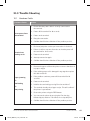
10.0 Trouble Shooting........................... 85
10.1 Hardware Faults.............................. 85
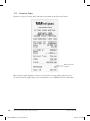
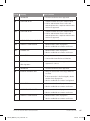
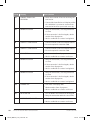
10.2 Response Codes.............................. 86
1
7/08/12 12:53 PM