1
CONTENTS
Key/important terms............................................................................................................................................................................................. 2
Accessing the portal................................................................................................................................................................................................ 3
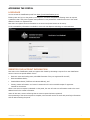
Login page................................................................................................................................................................................................................... 3
Register your account information. ................................................................................................................................................. 3
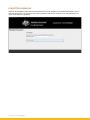
Forgotten password.......................................................................................................................................................................................... 4
Using the portal............................................................................................................................................................................................................. 5
Home information............................................................................................................................................................................................... 5
Account menu......................................................................................................................................................................................................... 5
Update account details—request....................................................................................................................................................... 5
Close your account—request.................................................................................................................................................................. 5
Update your applicant details................................................................................................................................................................ 6
Applications......................................................................................................................................................................................................................... 7
View applications................................................................................................................................................................................................. 7
Portal users.......................................................................................................................................................................................................................... 12
Edit my details........................................................................................................................................................................................................ 12
Manage portal users. ....................................................................................................................................................................................... 12
Payments. ............................................................................................................................................................................................................................... 13
Making a payment.............................................................................................................................................................................................. 13
About/resources.......................................................................................................................................................................................................... 13