1
Create a New Zealand Domestic Payment Template
NZ Domestic Payment templates containing regularly used details can be created. A template can be
created from scratch, from another template or from an existing payment.
If you create a template from an existing template or payment, it will be automatically populated with
the details from the template/payment you are copying from. You can then make further changes
as required.
Templates require a single approval from an appropriately entitled User before becoming active.
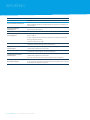
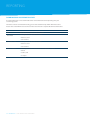
Step
1
Action
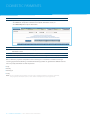
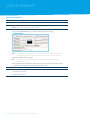
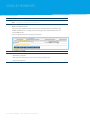
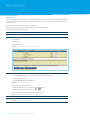
Click the Domestic Payments tab.
2
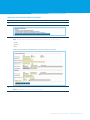
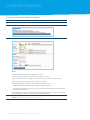
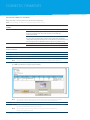
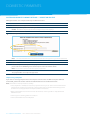
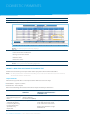
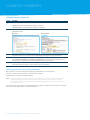
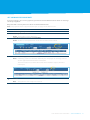
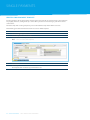
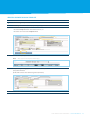
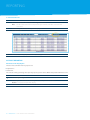
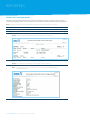
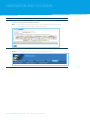
Select Templates > Enter > NZ Domestic and choose the method for creating the template.
3
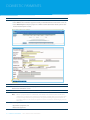
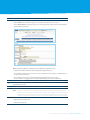
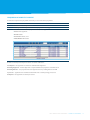
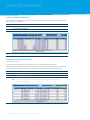
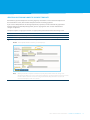
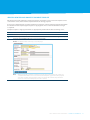
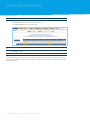
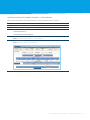
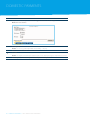
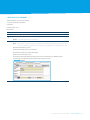
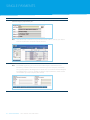
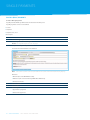
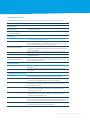
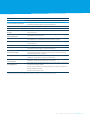
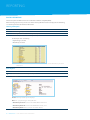
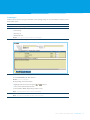
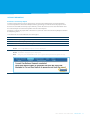
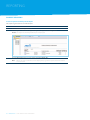
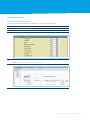
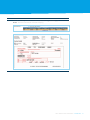
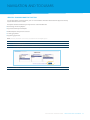
Complete the Add Batch Payment screen and click Save.
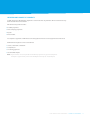
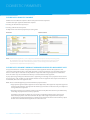
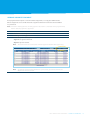
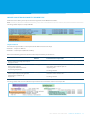
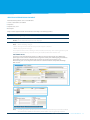
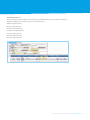
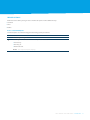
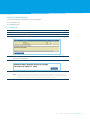
Result: The Batch Header summary screen displays.
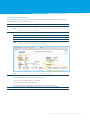
Note:
When you mark a template as Restricted, only Users who have been assigned
a relevant Data Role can access and use the template, eg. for Executive payroll
accounts. If a User does not have a Data role assigned to them, they will have
access to all restricted templates and all accounts.
ANZ TRANSACTIVE USER GUIDE DOMESTIC PAYMENTS 21