1
Contents
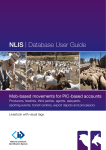
This User Guide explains the main NLIS database tasks and reports for producers and feedlots. When you
login to the database, you will only see options for your account type.
The Guide provides step-by-step instructions on the left side of the page. Once you are familiar with the
database, you may rarely need the TIPS information on the right side. If you can’t find what you want in the
Guide, there may be a Tech Tip on the NLIS website. Alternatively, you can click ‘Help’ buttons on the NLIS
screens.
If you want to know about NLIS Express, a free software program that lets you transfer cattle and run simple
queries using a compatible mobile phone, contact the NLIS Database Helpdesk (see the contact details on
the back cover of this Guide).
Suggestions for improvements to the User Guide or requests for an
NLIS Express Pocket Guide may be sent to NLISPublications@mla.com.au
Notifying the database
Access the database . . . . . . . . . . . . . . . . . . . . . . . . . . . . . . . . 1
View/edit account details . . . . . . . . . . . . . . . . . . . . . . . . . . . . 2
Cattle moved off/onto property . . . . . . . . . . . . . . . . . . . . . . . 3
Cattle that died on property . . . . . . . . . . . . . . . . . . . . . . . . . . 6
Device status . . . . . . . . . . . . . . . . . . . . . . . . . . . . . . . . . . . . . . 8
PIC reconciliation . . . . . . . . . . . . . . . . . . . . . . . . . . . . . . . . . 11
Replaced tags . . . . . . . . . . . . . . . . . . . . . . . . . . . . . . . . . . . . 12
Transfer correction . . . . . . . . . . . . . . . . . . . . . . . . . . . . . . . . 14
ERP enquiry. . . . . . . . . . . . . . . . . . . . . . . . . . . . . . . . . . . . . . 17
Key:
EU status downgrade . . . . . . . . . . . . . . . . . . . . . . . . . . . . . . 18
Producers and feedlots
Generating reports
Producers only
Generating reports . . . . . . . . . . . . . . . . . . . . . . . . . . . . . . . . 19
Feedlots only
Customising reports . . . . . . . . . . . . . . . . . . . . . . . . . . . . . . . . 20
Audit property report . . . . . . . . . . . . . . . . . . . . . . . . . . . . . . 21
Beast enquiries report . . . . . . . . . . . . . . . . . . . . . . . . . . . . . 22
Carcase feedback query . . . . . . . . . . . . . . . . . . . . . . . . . . . . 23
ERP PIC status report . . . . . . . . . . . . . . . . . . . . . . . . . . . . . 24
Search the PIC register. . . . . . . . . . . . . . . . . . . . . . . . . . . . . . 25
View devices on property . . . . . . . . . . . . . . . . . . . . . . . . . . . 26
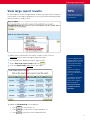
View large report results . . . . . . . . . . . . . . . . . . . . . . . . . . . 27
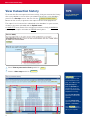
View transaction history. . . . . . . . . . . . . . . . . . . . . . . . . . . . 28
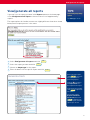
View/generate all reports . . . . . . . . . . . . . . . . . . . . . . . . . . 29