1
Index
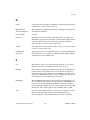
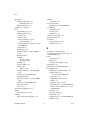
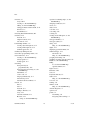
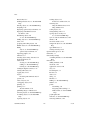
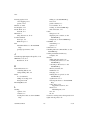
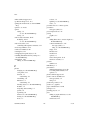
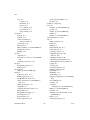
resizing objects, 4-6
in relation to window size, 4-7
retrieving data
using file I/O functions, 14-18
using subVIs, 14-17
scaling objects, 4-7
setting tabbing order, 4-4
spacing objects evenly, 4-6
See also the LabVIEW Help.
style of controls and indicators, 16-2
subVIs, 7-10
text characteristics, 4-27
transparent objects. See the LabVIEW
Help.
type definitions, 4-1
viewing remotely, 18-12
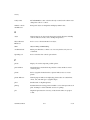
ftp DataSocket protocol, 18-3
full menus, 3-3
function key settings
overriding defaults. See the LabVIEW
Help.
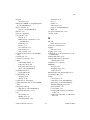
functions, 5-7
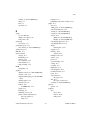
adding terminals, 5-10
advanced, 5-10
application control, 5-10
array, 5-8
block diagram, 5-7
Boolean, 5-7
cluster, 5-8
dialog, 5-9
file I/O, 5-9
finding. See the LabVIEW Help.
numeric, 5-7
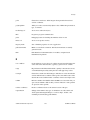
palette
customizing, 3-6
navigating and searching, 3-2
window titles. See the LabVIEW
Help.
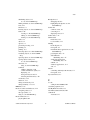
polymorphic, B-1
reference. See the LabVIEW Help.
removing terminals, 5-10
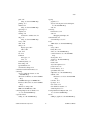
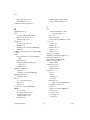
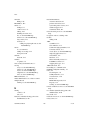
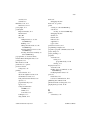
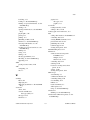
DataSocket, 18-5
defining window size. See the LabVIEW
Help.
deleting objects. See the LabVIEW Help.
designing, 4-28
displaying optional object elements, 4-2
displaying with different screen
resolutions, 4-30
distributing objects, 4-6
See also the LabVIEW Help.
finding objects. See the LabVIEW Help.
fonts, 4-27
grouping and locking objects, 4-6
hidden objects. See the LabVIEW Help.
hiding
objects. See the LabVIEW Help.
optional object elements, 4-2
importing graphics, 4-5
indicators, 4-9
inserting objects using ActiveX, 19-8
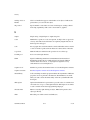
keyboard shortcuts, 4-3
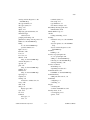
labels, 4-26
creating. See the LabVIEW Help.
editing. See the LabVIEW Help.
resizing. See the LabVIEW Help.
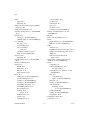
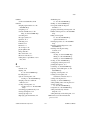
loading in subpanel controls, 4-19
locking with events, 9-6
logging data, 14-14
objects
block diagram terminals and, 5-1
options, 3-8
order of objects, 4-4
overlapping objects, 4-18
planning, 7-1
printing, 15-5
after the VI runs, 15-6
publishing images on Web, 18-11
removing objects. See the LabVIEW Help.
reordering objects. See the LabVIEW
Help.
replacing objects, 4-2
LabVIEW User Manual
I-14
ni.com