1
Chapter 4
Building the Front Panel
undefined string values, LabVIEW does not accept or display the letters
you type in the control.
When you configure the list of strings for a combo box control, you can
specify a custom value for each string, which is useful if you want the string
that appears in the combo box control on the front panel to be different than
the string value the combo box terminal on the block diagram returns.
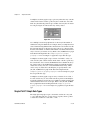
Right-click the combo box control, select Edit Items from the shortcut
menu, and remove the checkmark from the Values Match Labels
checkbox in the Edit Items page of the Combo Box Properties dialog
box. In the Values column of the table in this dialog box, change the value
that corresponds to each string in the control.
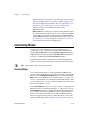
Path Controls and Indicators
Use path controls and indicators to enter or return the location of a file or
directory. Path controls and indicators work similarly to string controls and
indicators, but LabVIEW formats the path using the standard syntax for the
platform you are using.
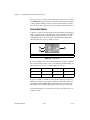
Invalid Paths
If a function that returns a path fails, the function returns an invalid path
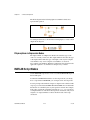
value, <Not A Path>, in the indicator. Use the <Not A Path> value as
the default value for a path control to detect when the user fails to provide
a path and display a file dialog box with options for selecting a path. Use
the File Dialog function to display a file dialog box.
Empty Paths
An empty path in a path control appears as an empty string on Windows
and Mac OS and as a slash (/) on UNIX. Use empty paths to prompt the
user to specify a path. When you wire an empty path to a file input/output
(I/O) function, the empty path refers to the list of drives mapped to the
computer.
(Mac OS) The empty path refers to the mounted volumes. (UNIX) The empty
path refers to the root directory.
Array and Cluster Controls and Indicators
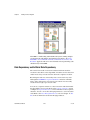
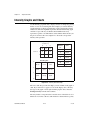
Use the array and cluster controls and indicators located on the Array &
Cluster and Classic Array & Cluster palettes to create arrays and clusters
of other controls and indicators. Refer to the Grouping Data with Arrays
LabVIEW User Manual
4-14
ni.com